How to Budget With Cash App in 2026: A Simple Beginner Guide
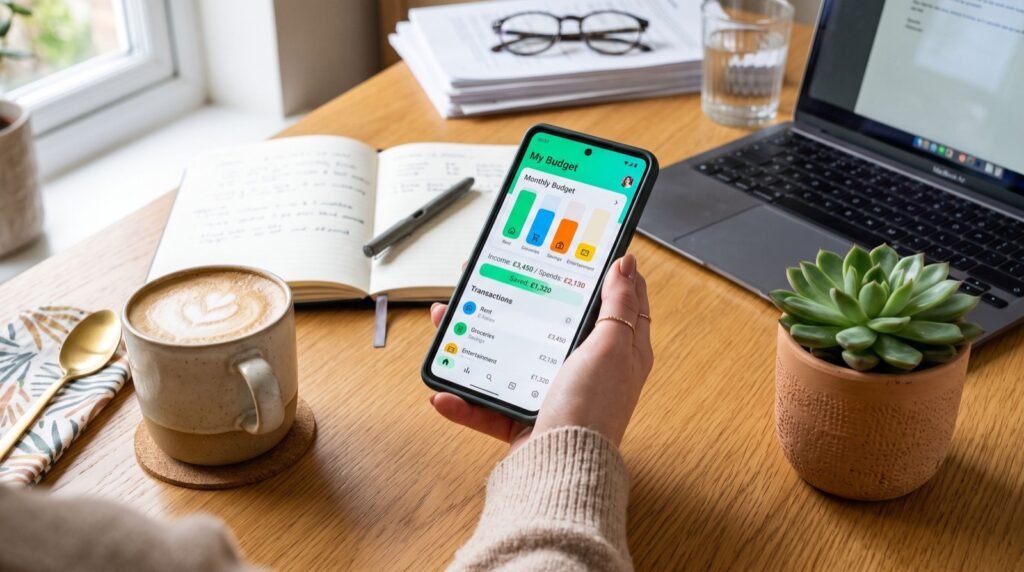
Learning how to budget with Cash App is one of the easiest ways to take control of your money in 2026. If you already send money to friends or split a dinner bill, you can turn that same app into a lightweight budgeting system without downloading anything new. This beginner guide walks you through building a real spending plan, tracking every dollar, and saving automatically, using tools you probably already have on your phone.
Most people think budgeting requires spreadsheets and hours of setup. It does not. With a few smart habits and the right app features, you can build a system that runs itself. For a deeper walkthrough of features and setup screens, this Cash App guide covers the details step by step.
Why Cash App Works for Everyday Budgeting
Cash App started as a peer-to-peer payment tool, but it has grown into a small financial hub. You can hold a balance, get a free Cash Card, round up purchases into savings, and even buy stock or Bitcoin. That mix makes it a surprisingly capable budgeting base for beginners.
The biggest advantage is speed. You see transactions instantly, and the interface is clean enough that you actually check it. A budget only works if you look at it, and simple beats sophisticated every time.
- Instant transaction history so you always know what you spent.
- A free debit card that keeps spending inside the app you track.
- Round-up savings that grow your cushion without effort.
- Direct deposit that can land your paycheck up to two days early.
Setting Up Your First Cash App Budget
Start by deciding how much of your income covers needs, wants, and savings. A popular starting split is the 50/30/20 rule: 50% for essentials, 30% for lifestyle, and 20% for saving and debt. The Consumer Financial Protection Bureau offers a free, unbiased overview of this approach in its consumer tools library, which is worth reading before you assign a single dollar.
Step 1: Route Your Paycheck
Set up direct deposit so your income lands in Cash App first. This gives you one clear starting balance each pay period. From there, you decide where money goes instead of guessing at the end of the month.
Step 2: Separate Spending From Bills
Keep only your “wants” money on the Cash Card. Move rent, utilities, and other fixed bills to your linked bank account. This mental wall stops you from spending grocery money on takeout.
Step 3: Turn On Round-Ups
Enable the round-up feature so every card purchase rounds to the nearest dollar and drops the change into savings. A $3.40 coffee saves $0.60 automatically. Those coins add up to real money over a year.
A Sample Weekly Cash App Budget
Here is a simple template for someone earning about $3,200 per month. Adjust the numbers to fit your own life, but keep the structure.
| Category | Monthly Amount | Where It Lives |
|---|---|---|
| Rent and utilities | $1,300 | Linked bank account |
| Groceries | $400 | Cash Card |
| Transport | $200 | Cash Card |
| Fun and dining | $300 | Cash Card |
| Savings | $450 | Savings balance |
| Debt payoff | $350 | Linked bank account |
| Buffer | $200 | Cash App balance |
How Do You Track Spending Without a Spreadsheet?
You track spending by reviewing your activity feed once a day for two minutes. Cash App timestamps every transaction, so a quick scroll tells you whether you are on pace. If you notice your dining spend climbing early in the month, you adjust before it becomes a problem.
Pair this habit with a simple rule: check the app before any purchase over $50. That pause alone prevents most impulse buys. Budgeting is less about math and more about attention, and attention is a skill you can build.
Common Budgeting Mistakes to Avoid
Even a great app cannot save you from a few classic errors. The most common one is setting a budget that is too strict. When every category feels like a punishment, you burn out and abandon the plan within weeks. Build in a little breathing room so the system feels livable.
Another frequent mistake is forgetting irregular expenses, like car registration, holiday gifts, or an annual subscription. Spread those costs across the year by saving a small amount each month. That way a big bill never wrecks your plan. Finally, avoid checking your balance only when you are worried. Regular, calm reviews keep small problems from snowballing.
Growing Beyond the Basics
Once your budget runs smoothly, layer in extra goals. Use the savings balance for an emergency fund equal to three months of expenses. Then explore investing small amounts, since Cash App lets you buy fractional shares with as little as one dollar. Building wealth is a marathon, and steady contributions matter more than perfect timing.
The habits you build here transfer to any tool you use later. If you want more strategy, these personal finance tips go deeper on saving, debt payoff, and building wealth over time. And whenever you outsource a task, whether it is your finances or a home project, working with quality service providers saves you both money and stress.
Frequently Asked Questions
Is Cash App safe to use for budgeting?
Yes. Cash App uses encryption and fraud monitoring, and you can enable a PIN, Face ID, or Touch ID for every transaction. Keep your balance modest and move long-term savings to an insured account for extra safety.
Can I use Cash App to save automatically?
Yes. Turn on round-ups so spare change from card purchases flows into your savings balance. You can also move a set amount each payday to build savings on a schedule.
Does Cash App charge fees for budgeting features?
The core features like the Cash Card, direct deposit, and round-up savings are free. Some services such as instant transfers or ATM withdrawals may carry a small fee, so review the terms before you rely on them.
How much should a beginner save each month?
Aim for 20% of your income if you can, but start with any amount you can sustain. Even saving $25 per week builds the habit, and consistency matters far more than the size of your first deposit.
Final Thoughts
Budgeting with Cash App proves that good money management does not require complex software. With direct deposit, a Cash Card, and round-up savings, you can build a real spending plan in an afternoon. Start small, check your feed daily, and let automation do the heavy lifting. The best budget in 2026 is the one you actually stick with, and Cash App makes sticking with it easy.